
Givebutter Help
The Rustin Institute uses Givebutter to process donations. Givebutter supports themselves by adding an optional 15% tip and a credit card processing fee to donations, keeping the platform free for organizations like us.
However, you can opt out or change these options. See the instructions below for help.
Membership reminder: your first tip and fee choices continue on future payments. You can change them later through the management link in any emailed receipt.
FAQ:
Still having trouble? Email us at admin@rustininstitute.org
Changing the tip and processing fee on Givebutter
1. Changing the Tip
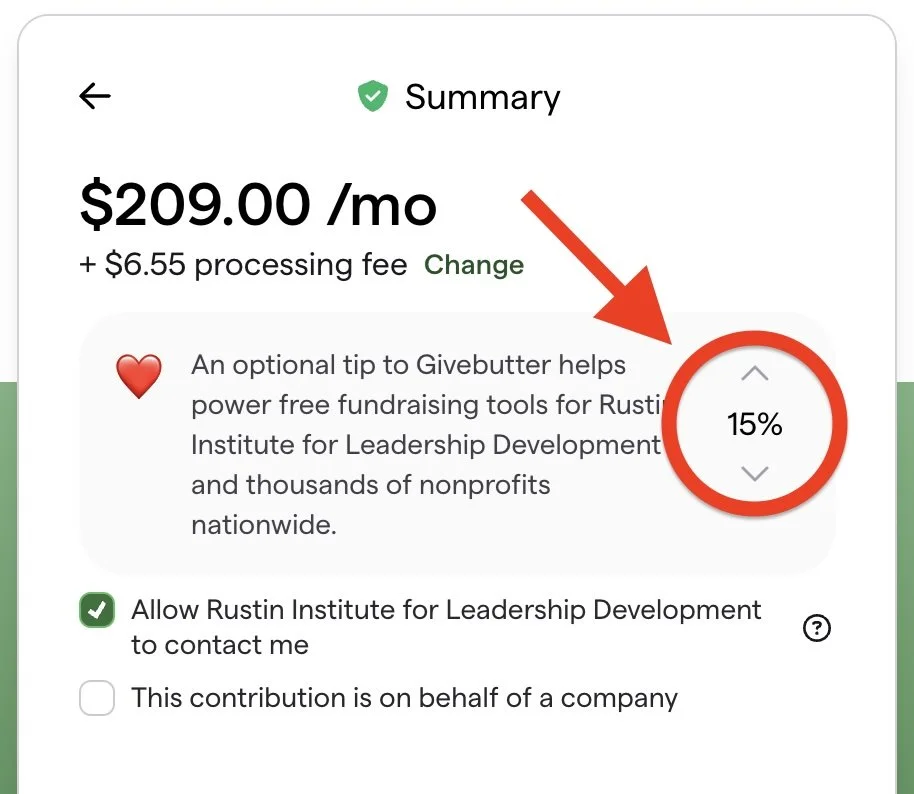
When you reach the Summary stage in Givebutter’s checkout, select the percentage shown on the right side of the tip box (set to 15% by default).
Clicking this opens the tip menu. Choose a listed percentage, or choose Other and enter the amount you want.
To opt out, select Other and enter $0.
2. Opting out of the processing fee
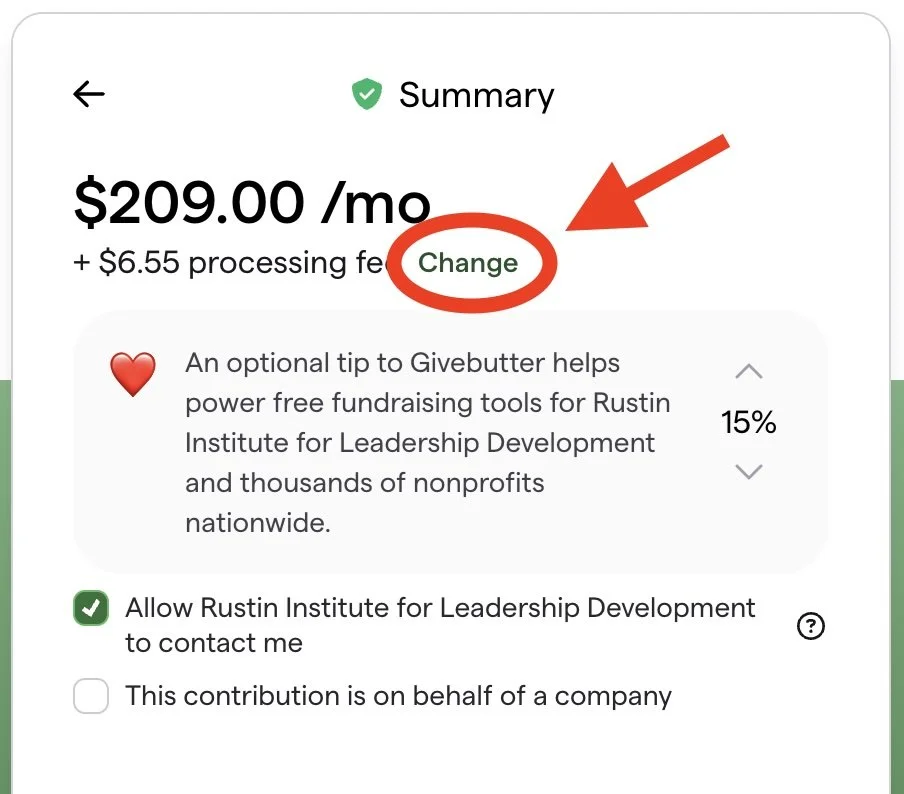
In the same Summary stage in, select Change beside the processing fee.
This opens the fee setting box. Uncheck I want to cover fees to opt out.
The Rustin Institute does not pay the processing fee if you opt out — Givebutter does.
3. Check the amount before paying
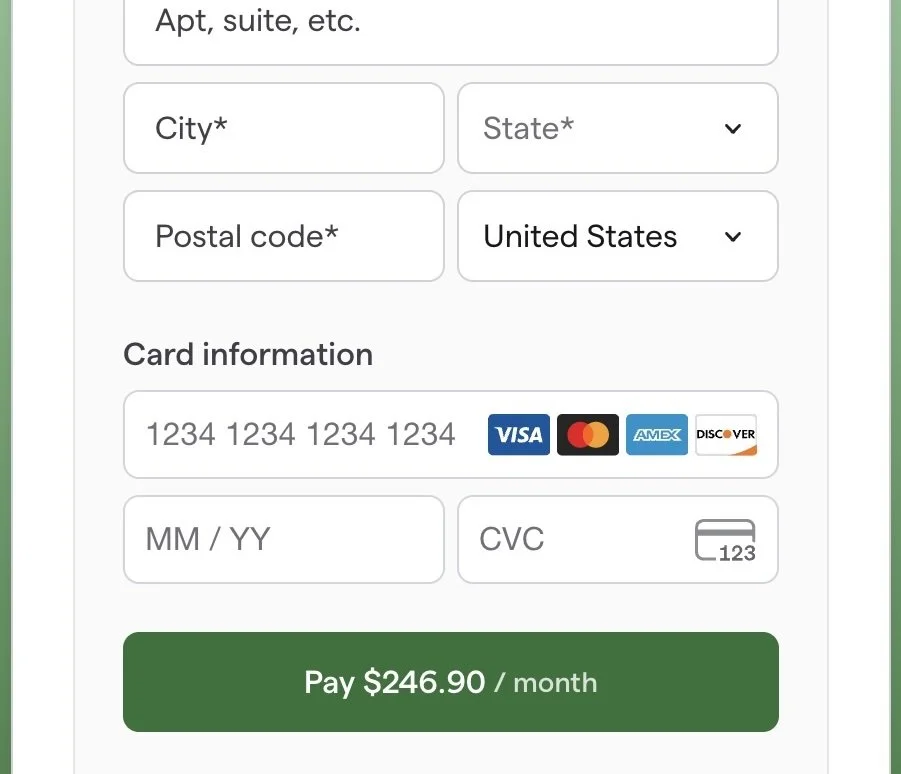
Scroll down to the payment button. Check that the total reflects the gift, tip, and fee choices you want.
Already completed your gift?
Managing recurring Bayard Rustin Society payments
Open any Givebutter receipt and select Manage Your Gift.
This will allow you change a recurring gift’s amount, schedule, payment method, or processing-fee setting. You do not need to create an account.
Read Givebutter’s recurring payments instructions for more information.
Requesting refunds
For a tip or processing fees that was already charged to your card, you will need to request a refund from Givebutter. Keep the donation reference number from your receipt.
Read Givebutter’s refund instructions for more information.